Resize Image to 60 KB Online
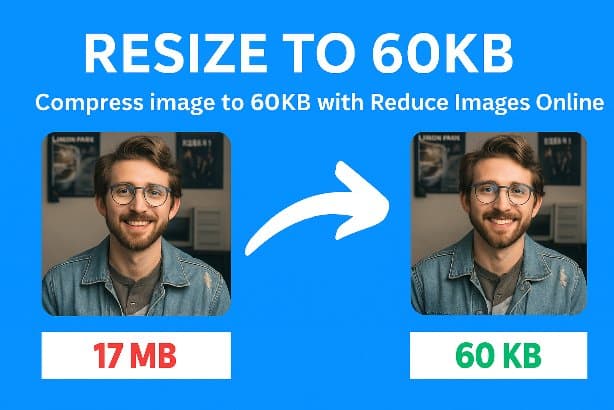
Compress photos to exactly 60 KB for NIOS, MPPSC, BPSC, MahaDBT scholarship forms, and small web thumbnails.
Default Target Size
Compress images to 60 KB for NIOS, MPPSC, MahaDBT, and small web thumbnails
60 KB is a specific niche target. It is the cap on NIOS examination forms, several state PSC portals, Maharashtra's MahaDBT scholarship applications, and a handful of SBI online recruitment flows. It is also a common "web thumbnail" size for blog sidebars, related-posts widgets, and product listing tiles — small enough to load instantly, detailed enough to look professional.
The tool above hits 60 KB consistently for both photographic content (faces, products) and graphic content (logos, signatures). Unlike the more common 50 KB target, 60 KB leaves a small but measurable quality margin, which is especially helpful when the portal you are submitting to runs additional compression of its own.
How Size Compression Works
Upload Images
Upload and set target file sizes in KB or MB
Smart Compression
Algorithm finds optimal quality for your target
Download Results
Get images at exact sizes you need
Where the 60 KB requirement appears
NIOS examination forms
The National Institute of Open Schooling caps candidate photographs at 60 KB on its enrolment and re-registration portals. The signature image cap is usually 30 KB on the same form.
State PSC and scholarship portals
MPPSC, BPSC, several Karnataka and Tamil Nadu state recruitment forms, and Maharashtra's MahaDBT scholarship gateway use 60 KB caps for candidate photos at one stage or another.
Web thumbnails and related-post widgets
Sidebars, related-content cards, and category grid tiles that render at 200-400 px look fine at 60 KB. Smaller render sizes do not benefit from larger files.
CRM contact photos and ATS uploads
Salesforce, HubSpot, and most applicant tracking systems display contact photos at 64-128 px. 60 KB is plenty for these.
Where 60 KB is the right target
🏫 NIOS enrolment forms
Candidate photo: 60 KB cap, JPG format. Signature: typically 30 KB. Both can be produced from the same source by adjusting the target.
🎯 State PSC and recruitment portals
MPPSC, BPSC, several Karnataka and Tamil Nadu portals. Always confirm the current year's notification — limits change between cycles.
💸 MahaDBT and scholarship applications
Scholarship portals in several states accept 50-60 KB candidate photos. Aim for 58 KB to keep room for portal-side compression.
🧩 Sidebar and related-post thumbnails
Blog templates with 200-300 px sidebar thumbnails render perfectly at 60 KB. Going larger is wasted bandwidth.
🤝 CRM contact photos
Salesforce, HubSpot, Pipedrive contact photos display at 64-96 px. 60 KB is more than enough.
👤 Author bio thumbnails
WordPress and Ghost author boxes show 80-150 px headshots. 60 KB is the right tier; anything larger is wasted on this size.